-
Configure VPN Split Tunneling on the pcWRT Router
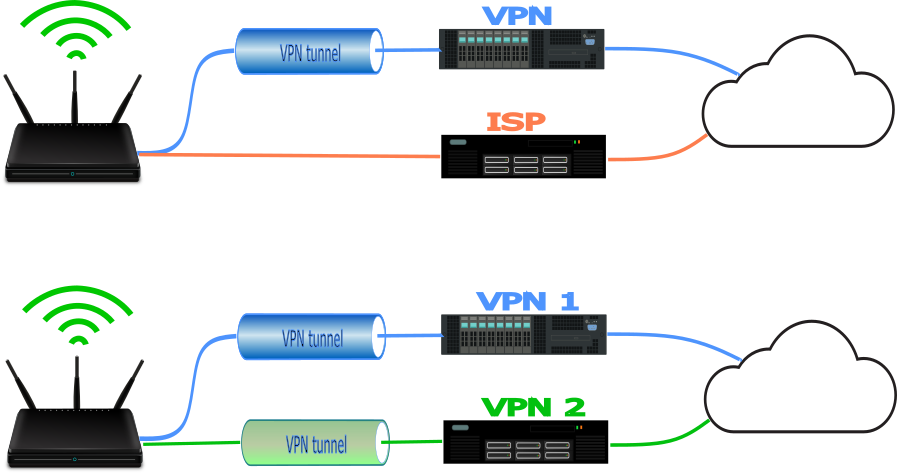
Split Tunnel Between VPN and ISP Connection or Two VPN Connections
In an ordinary VPN split tunneling scenario, you can split-tunnel your network traffic between a VPN connection and direct Internet connection. That scenario is completely supported on the pcWRT router. Moreover, since the pcWRT router supports up to three concurrent VPN connections, you can also split tunnel between two VPN connections.
There’s no extra configuration needed to split tunnel between two VPN connections, except that you need to set up two VPNs on the router. Then you can simply select another VPN as the alternative route for split tunneling.
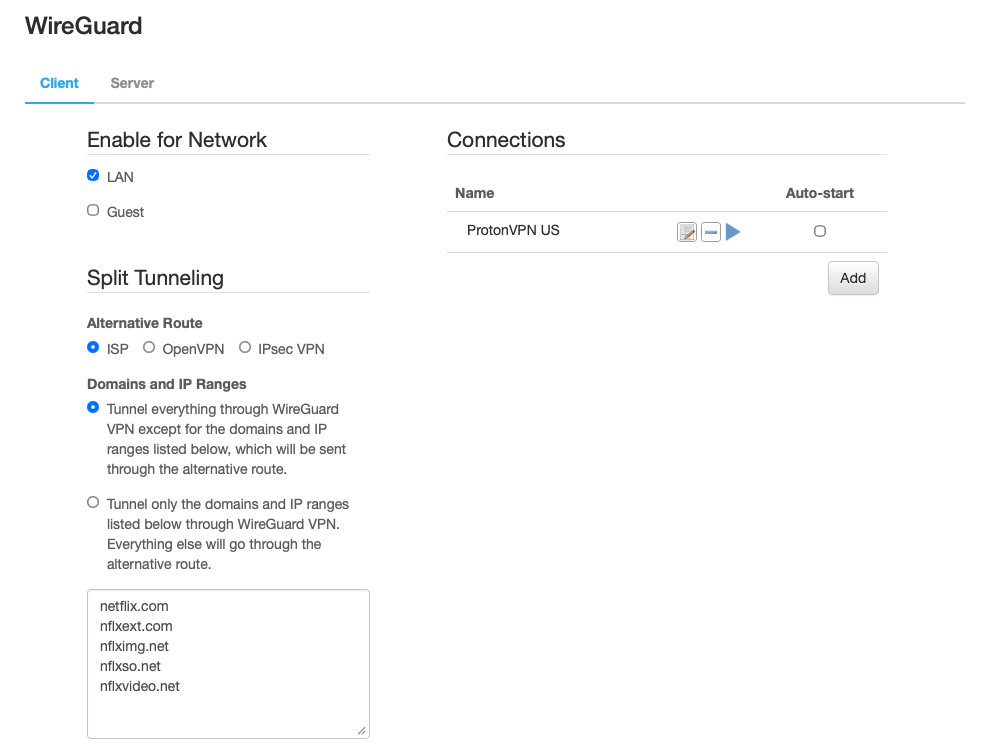
Split Tunnel with ISP Connection as the Alternative Route 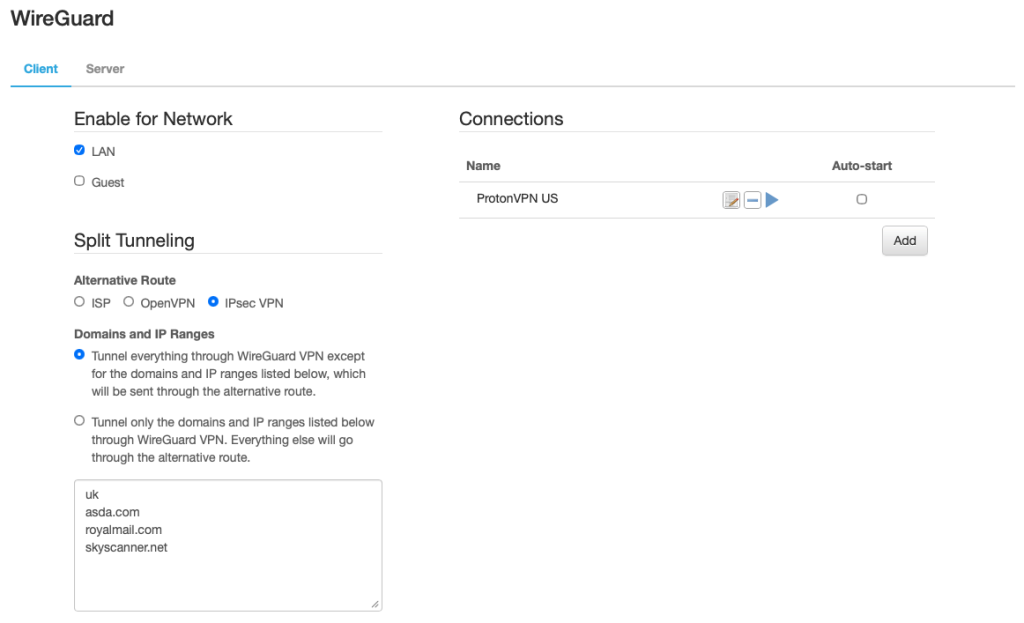
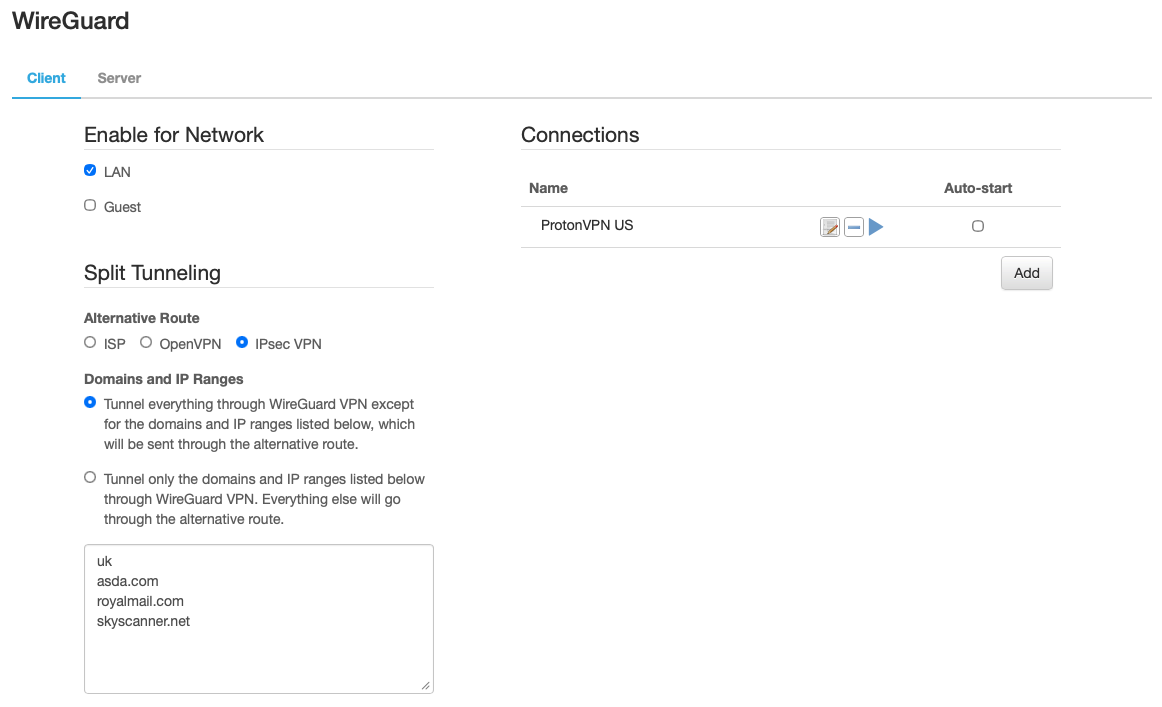
Split Tunnel with IPsec VPN to UK as the Alternative Route Split Tunnel by Domain Name, IP address and Country Code
You can list domain names (or partial domain names), IP address ranges and country code in the split tunneling exception list. If you enter “uk” or “.uk”, then all domains with the “.uk” suffix will match this rule. And you can enter IP address ranges in CIDR format, such as 23.23.189.144/28 and 34.195.253.0/25.
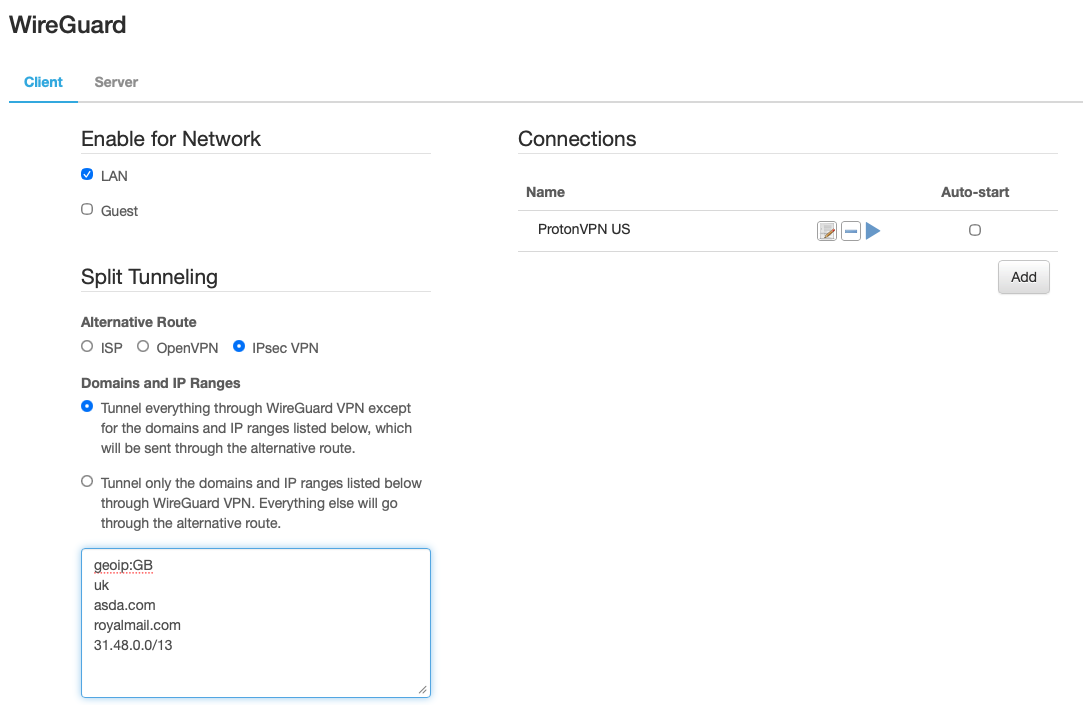
If you want all UK traffic to go through a VPN connection to the UK, then you can enter a country code like this: geoip:GB, where GB is the two-letter country code for the UK. A full list of two letter country codes is available here: https://www.iban.com/country-codes.
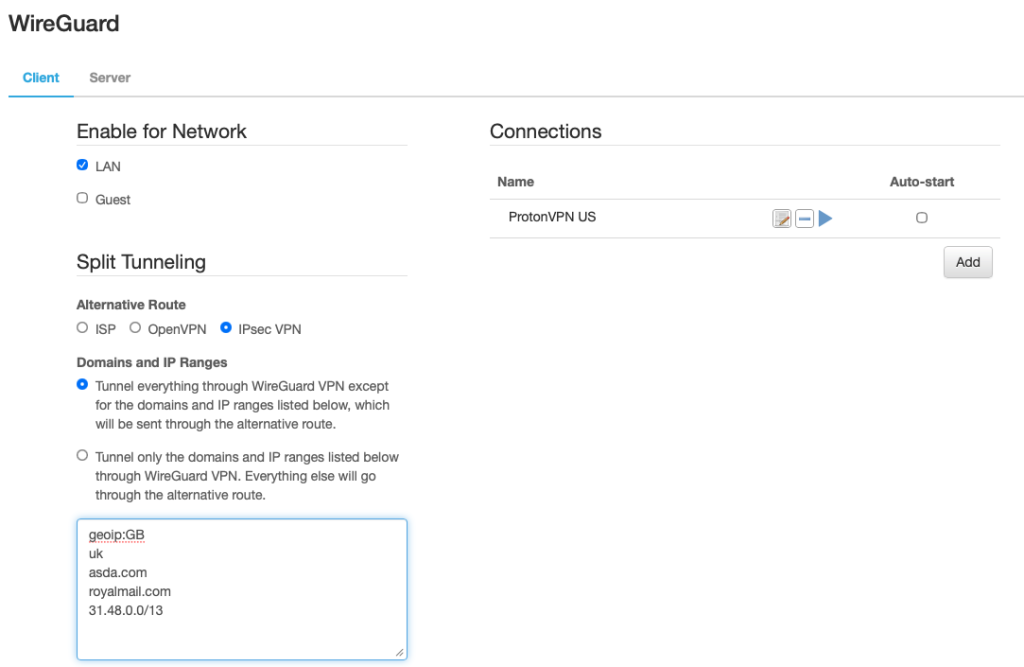
Split Tunneling with Domains, IP Address Ranges and Country Codes Block Outbound Traffic with a Faux VPN Connection
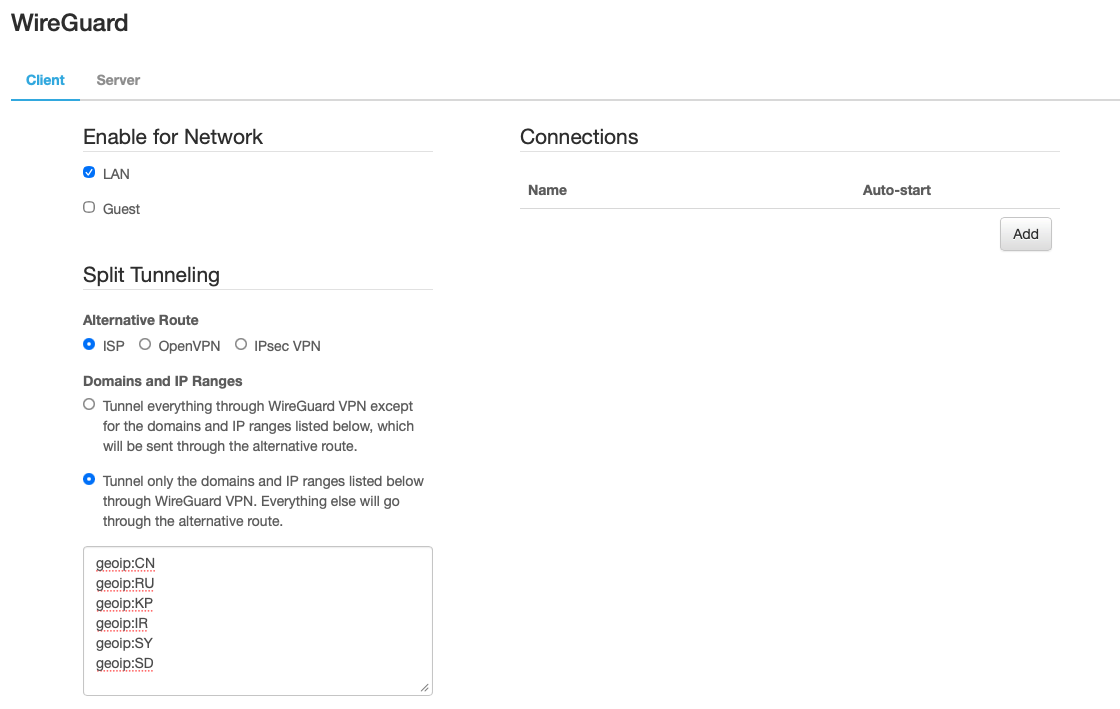
If a VLAN is configured to use a VPN but the VPN connection is not available, the pcWRT router will block access to the Internet. As such, you can configure a faux VPN connection with split tunneling to block outbound traffic for the listed domains and IP addresses. Select “Tunnel only the domains and IP addresses listed below” and enter the IPs and domains you want to block, as shown below.
Here, no VPN is set up. But only domains and IP addresses listed in the Split Tunneling box are configured to send through the VPN. The listed domains and IP addresses are thus blocked because no VPN is available.
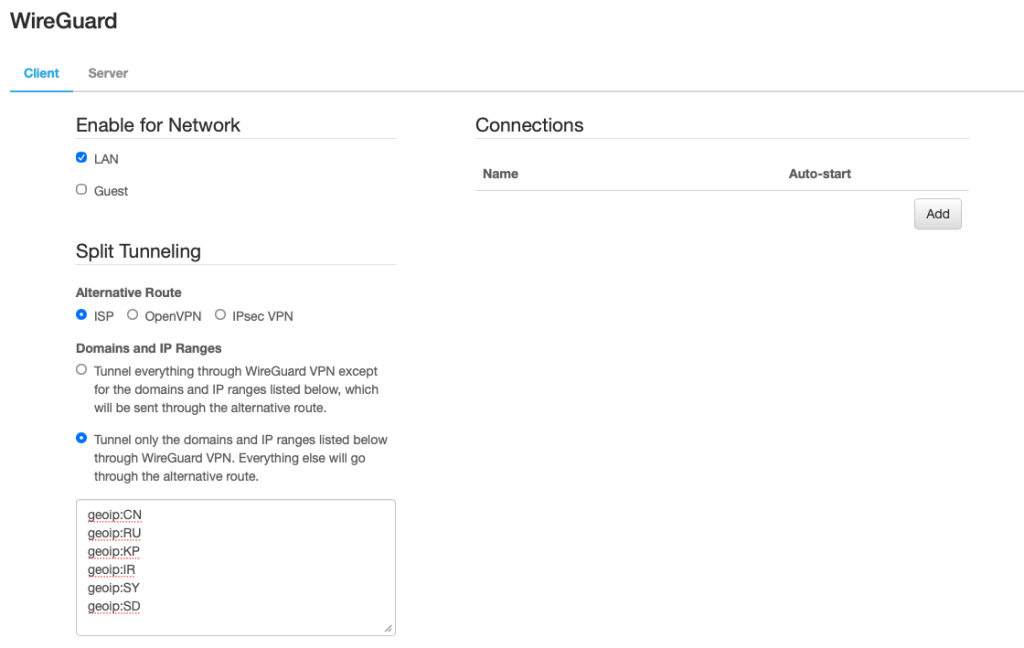
Use a faux VPN to geo-block traffic from countries with high rates of cyberattacks and botnet activity



Recent Posts
- Configure VPN Split Tunneling on the pcWRT Router
- Observing Android VPN Leaks with the pcWRT Router
- How to set up a second pcWRT router as an Access Point with VLAN support
- Is the MELLO charger a scam (Kickstarter)?
- How to reset the pcWRT router
Recent Comments
- on How to allow or block web sites on the router
- on How to allow or block web sites on the router
- on Monitor activities on your home network
- on How to reset the pcWRT router
- on How to reset the pcWRT router
Archives
- February 2026
- January 2025
- December 2024
- June 2024
- April 2024
- March 2024
- August 2023
- May 2023
- February 2023
- June 2022
- December 2021
- November 2021
- August 2021
- January 2021
- December 2020
- October 2020
- August 2020
- July 2020
- June 2020
- May 2020
- April 2020
- February 2020
- January 2020
- December 2019
- October 2019
- December 2018
- August 2018
- July 2018
- June 2018
- January 2018
- November 2017
- October 2017
- September 2017
- August 2017
- July 2017
- June 2017
- January 2017
- August 2016
- May 2016
- December 2015
- August 2015
- July 2015
- May 2015
- April 2015
- March 2015
Categories


