-
How do I set up parental controls on iPhone
On iPhone, parental controls is called Restrictions. It provides pretty detailed control over apps, features and contents that can be accessed on the phone, protected by a four digit passcode (or would you rather call it PIN?).
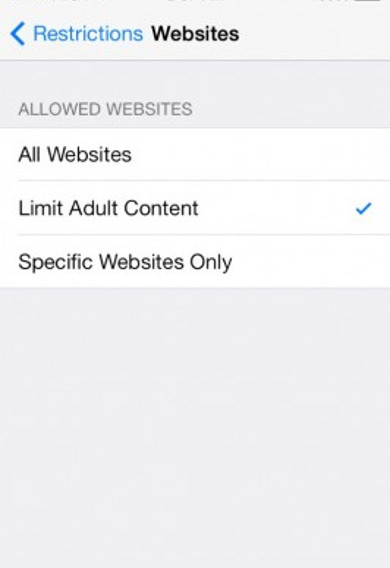
The following is a step-by-step guide on how to set up parental controls on iPhone. The same procedure also works for iPad and iPod touch.
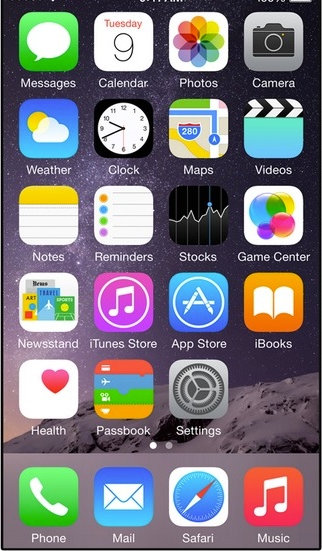
- Launch the Settings app.
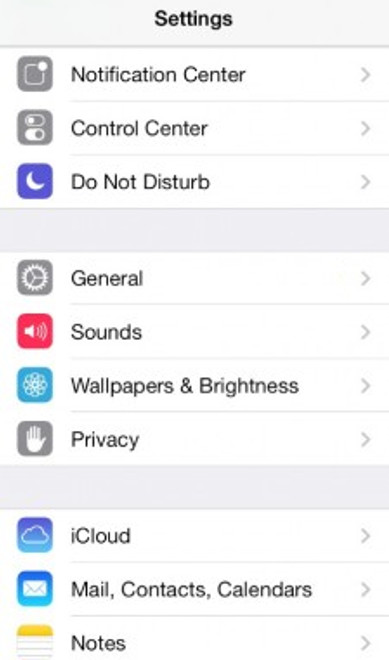
- Tap on General
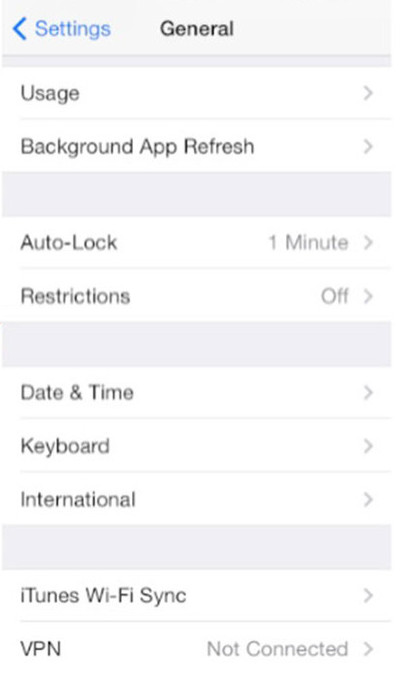
- Tap on Restrictions.
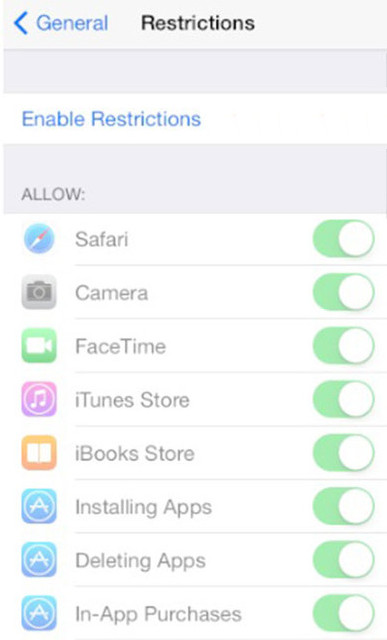
- Tap on Enable Restrictions.
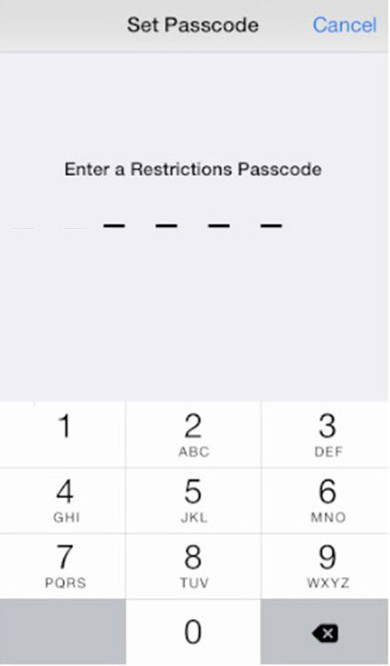
- Enter and confirm passcode.
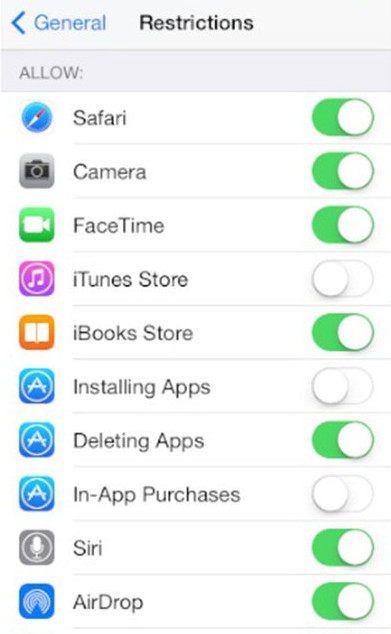
- Under the Allow section, turn off any apps or features you don’t children to have access to.
- Scroll down to the Allowed Content section. Select the country for Ratings for.
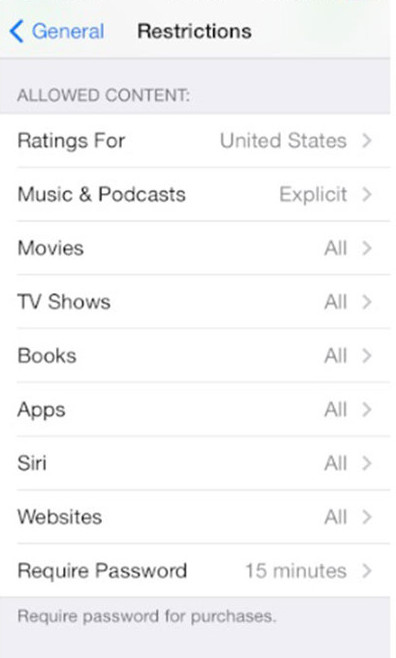
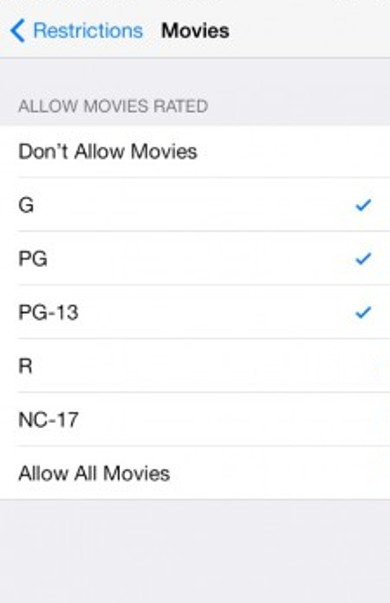
- Make appropriate choices for each type of content.
Remember, don’t lose your passcode. If you lose your passcode, you’ll need to erase your device and then set it up as a new device to remove the passcode.
- Launch the Settings app.



Recent Posts
- Observing Android VPN Leaks with the pcWRT Router
- How to set up a second pcWRT router as an Access Point with VLAN support
- Is the MELLO charger a scam (Kickstarter)?
- How to reset the pcWRT router
- How to create your SSH key and use it on the router
Recent Comments
- on How to allow or block web sites on the router
- on How to allow or block web sites on the router
- on Monitor activities on your home network
- on How to reset the pcWRT router
- on How to reset the pcWRT router
Archives
- January 2025
- December 2024
- June 2024
- April 2024
- March 2024
- August 2023
- May 2023
- February 2023
- June 2022
- December 2021
- November 2021
- August 2021
- January 2021
- December 2020
- October 2020
- August 2020
- July 2020
- June 2020
- May 2020
- April 2020
- February 2020
- January 2020
- December 2019
- October 2019
- December 2018
- August 2018
- July 2018
- June 2018
- January 2018
- November 2017
- October 2017
- September 2017
- August 2017
- July 2017
- June 2017
- January 2017
- August 2016
- May 2016
- December 2015
- August 2015
- July 2015
- May 2015
- April 2015
- March 2015
Categories


